GB WhatsApp Account & Security
Third-party WhatsApp modifications sit outside Meta’s official support. That does not mean every warning equals a permanent ban—but it does mean you should read the exact message on your screen and choose a guide that matches your situation, not a generic “download the latest APK” article.
How account restrictions usually appear
Restrictions on modified clients often show up as temporary limits, login blocks, countdown timers, or a full-screen message asking you to switch to official WhatsApp. They are not the same as a failed SMS code, a parse error during install, or a crash on launch—those belong under Troubleshooting.
Before you reinstall or wipe data, note the exact wording, whether you can still open chats, and whether the timer counts down. That detail decides which article below fits.
- Why your GB WhatsApp account was restricted — timers, limits, and what “banned” often means in practice.
- When GB WhatsApp says use official WhatsApp — login blocks and official-app warnings.
- Will GB WhatsApp get you banned? — risk factors without scare tactics.
Safety, privacy, and where you download the APK
GB WhatsApp is not distributed through Google Play. The file source, signature, permissions you grant on first launch, and how you update all affect risk. No antivirus badge or “anti-ban” label can guarantee that an unofficial build is safe or that your account will stay active.
Read privacy in practical terms: what the app can access on your phone, whether you trust the site that hosted the APK, and whether you are mixing work accounts with experimental builds.
- Is GB WhatsApp safe? — permissions, APK source, and realistic privacy limits.
- Does GB WhatsApp anti-ban work? — what anti-ban claims can and cannot do.
What to do before risky steps
If you are about to uninstall, switch to official WhatsApp, or install a new mod version, pause and back up anything you cannot lose. Account guides do not replace backup guides—pair this section with Backup & Migration when you are moving chats or phones.
- Export or back up chats if your build supports it, before clearing storage.
- Do not register a new number repeatedly to bypass a block—it can compound restrictions.
- After an official-app warning, forcing the same mod login may not help until the timer or policy clears.
When to leave this category
Verification codes that never arrive, install errors, or message send failures are usually technical—not account-policy—issues. Use Troubleshooting. Expired-version popups and failed updates are covered under Updates & Compatibility.
Latest Account & Security Articles
Does GB WhatsApp Anti-Ban Work? Risks Explained
Understand what GB WhatsApp anti-ban claims mean, why they cannot guarantee account safety, and what to consider if you receive a restriction warning.
GB WhatsApp Says Use Official WhatsApp? What to Do
See why GB WhatsApp may display an official-app warning, what the message means, and how to protect your account and chat history.
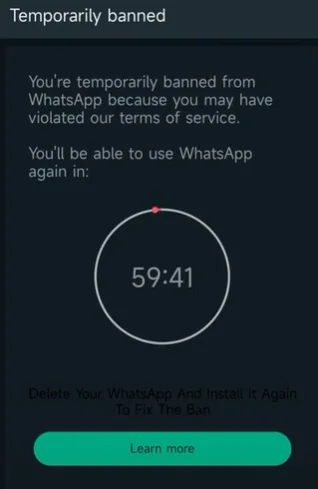
Why Is My GB WhatsApp Account Banned?
Learn why a GB WhatsApp account may be restricted, what temporary and permanent bans mean, and which recovery steps are safe to consider.
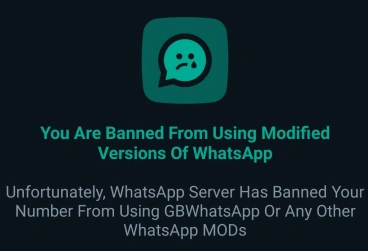
Will GB WhatsApp Get You Banned? Ban Risk Explained
Can WhatsApp ban your account for using GB WhatsApp? Learn why GB WhatsApp is treated as an unofficial app, the types of bans that can happen, and how to reduce the risk.
Is GB WhatsApp Safe in 2026? Real Risks, Privacy Issues & Ban Warning
Is GB WhatsApp safe in 2026? We break down the real security risks, privacy concerns, malware from fake APKs, and the ban warning you should know before installing.