Why WhatsApp May Restrict an Account
Using an Unofficial WhatsApp Client
GB WhatsApp is a third-party modification. WhatsApp states that unofficial apps may be temporarily or permanently banned because they are not verified for security and privacy.
Temporary Restrictions and Other Possible Causes
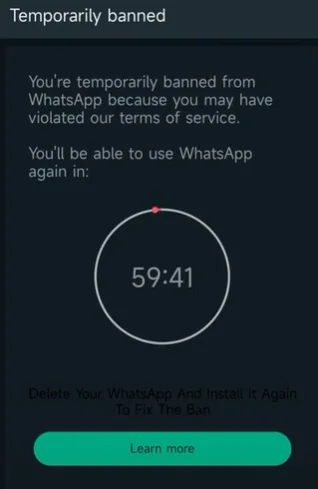
Some limits relate to bulk messaging, automation, or reported spam. A ban timer is not the same as a failed SMS code or a weak network connection.
How to Tell What Type of Restriction You Have
Read the in-app message carefully. Timers often indicate temporary enforcement. Immediate logout with an official-app warning suggests client detection. If unsure, compare with GB WhatsApp says use official WhatsApp.
What to Do After a GB WhatsApp Ban
Check the In-App Warning
Note exact wording, dates, and whether you can still export chats. Screenshots may help if you contact support.
Use Official WhatsApp Support Channels
Follow instructions inside official WhatsApp or Help Center articles. Avoid paid “unban” services that promise fixed recovery times.
Protect Your Chats Before Switching Apps
Back up locally when your build supports it before uninstalling. Migration to official WhatsApp has limits—plan ahead using our backup and migration guides.
Can a Banned Account Be Recovered?
Temporary restrictions may lift if you comply with WhatsApp guidance. Permanent bans may not be reversible. No third-party APK can guarantee restoration.
How to Reduce the Risk of Future Restrictions
Avoid spam-like behavior, keep official WhatsApp for critical numbers, and understand that switching to another modified APK does not reset enforcement history. Review GB WhatsApp safety risks before reinstalling.