GB WhatsApp Troubleshooting
Most problems fall into a few buckets: login/SMS, installation, stability (crashes), messaging, or status/media saves. Match the bucket first—then open the guide for that symptom instead of trying random reinstalls.
Login and verification codes
When SMS or call verification fails, confirm the phone number format, airplane mode, carrier delays, and whether official WhatsApp works on the same SIM. Third-party app warnings during login are account-policy topics—see Account & Security.
- GB WhatsApp verification code not received — SMS delays, dual-SIM, and retry timing.
Installation and package errors
“App not installed”, parse errors, and conflicts with an existing WhatsApp or GB copy mean different fixes. Identify the exact Android message before deleting folders or downloading another APK from an unknown mirror.
- GB WhatsApp installation error — signatures, package conflicts, and storage.
Crashes and stability
Repeated force-closes may involve low memory, corrupted cache, a bad update, or Android version limits. Capture whether the crash happens on open, when opening a specific chat, or after an update—that narrows the checklist.
- GB WhatsApp keeps crashing — cache, versions, and device-specific steps.
Messaging and status saves
One tick, no delivery, or pending messages can involve one contact, server status, or account limits—not always “broken internet.” Status download issues are separate from learning how status saving works in settings (Features & Settings).
- GB WhatsApp messages not sending — connectivity, bans, and per-chat checks.
- GB WhatsApp status download not working — permissions and feature availability.
After you fix the symptom
If troubleshooting started because of an update or “expired version” message, read Updates & Compatibility before chasing another APK. If you are moving phones afterward, plan backups under Backup & Migration.
Latest Troubleshooting Articles

Why Can’t I Download GB WhatsApp Status Videos?
Having trouble saving GB WhatsApp status photos or videos? Check app permissions, storage, version compatibility and common download issues.
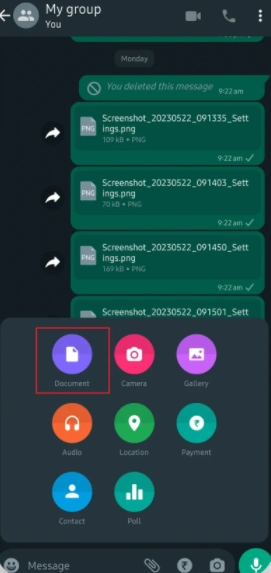
GB WhatsApp Messages Not Sending? What to Check
Troubleshoot GB WhatsApp messages that stay pending or fail to send by checking connectivity, app status, recipient availability and account restrictions.
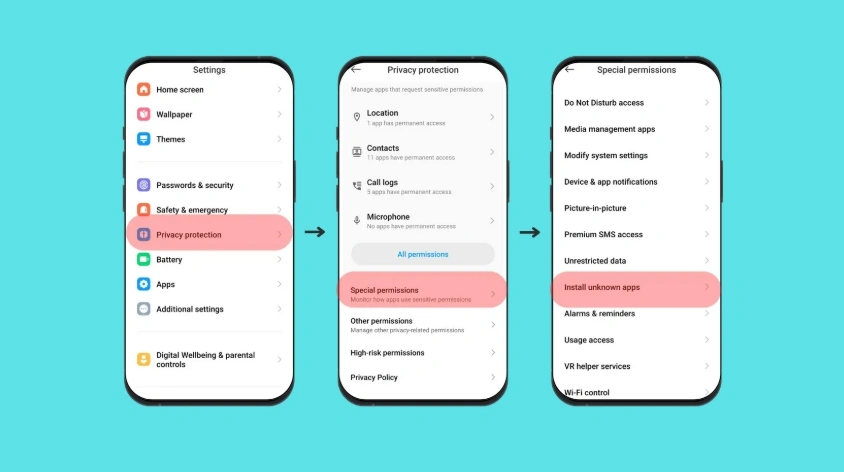
GB WhatsApp Installation Error? How to Troubleshoot
Having trouble installing GB WhatsApp? Understand APK parsing errors, incompatible versions, package conflicts and Android installation restrictions.

GB WhatsApp Keeps Crashing? Causes and Fixes
Find out why GB WhatsApp may keep crashing and how to check app compatibility, storage, settings and installation problems without losing chat data.
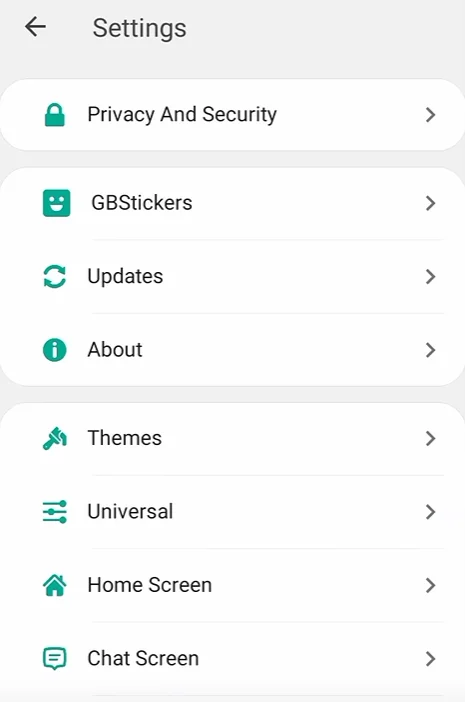
Why Is GB WhatsApp Not Sending a Verification Code?
Not receiving a GB WhatsApp verification code? Check your phone number, SMS reception, call verification options and account restrictions.